Print engine
AWE includes a generic printing engine that allows generating the content of a screen in PDF, Excel and DOC formats.
Printing a screen
To enable printing in a screen, include the generic AWE printing dialog:
<include target-screen="PrnOpt" target-source="center" />
Then add a button that opens the included dialog:

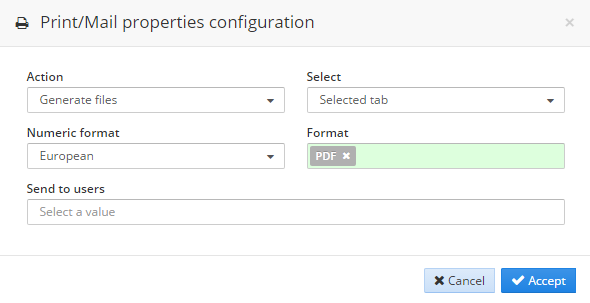
Once these two steps are completed, the user can open the printing dialog and choose the output format and options:
Configure title
By default, the title of a printed report is generated with the pattern:
report title : report subtitle
The values used for the title and subtitle are taken from the labels defined in the screen, such as the screen label, tabcontainer label, window label or grid label.
The following example shows a screen before printing:
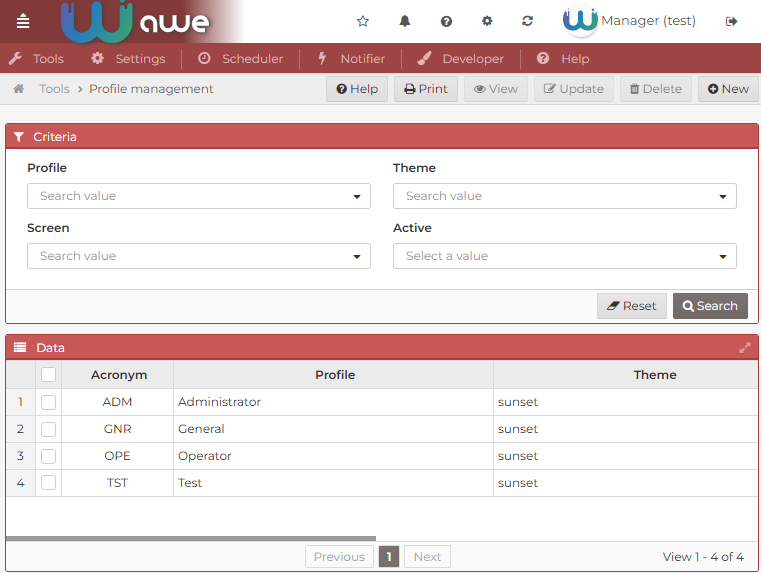
If no additional configuration is applied, AWE uses the existing screen labels to build the printed title.
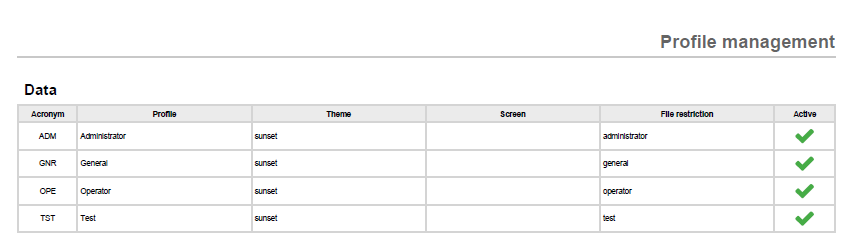
The printed result for the previous screen is the following:
You can customize this behavior in the following ways:
- Default behavior: if you do not add any additional configuration, AWE uses the labels already defined in the screen.
- Custom subtitle: define the
labelattribute in the correspondingtabcontainerand use a locale entry if needed. - Remove the main title: set the screen
labelto an empty value if you want the printed report to show only the subtitle.
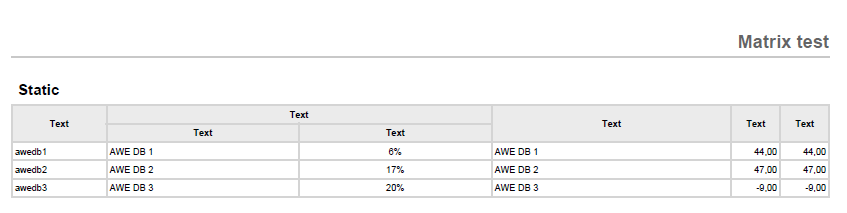
For example, after defining a custom subtitle in the tabcontainer label, the screen configuration looks like this:
In short, the printed title is controlled by the same labels used in the screen structure, so title customization is done through normal screen configuration.
Configure printing data
Since AWE 3.2, the printing engine uses the data that is currently available in the client and sends it to the printing engine.
This is important when a grid uses server-side pagination (load-all="false"). In that case, the client only has the rows currently loaded in the page, so the printed document will only include that data.
If you need to print the complete result set, the simplest option is to use local pagination:
load-all="true"
This makes all rows available in the client, so the printing engine can include the full dataset.
This approach can cause serious performance problems if the query returns a large number of rows.
If you need to keep server-side pagination and still print the full dataset, you should implement a project-specific printing flow that reloads the required data before generating the document. That scenario depends on the application and is outside the scope of this generic guide.
Choose which grid columns are printed
Grid columns are printed according to their printable attribute:
- Not set: printed in every format, but only while the column is visible on screen.
true: printed in every format, even when the column ishidden="true".excel: printed only in spreadsheet outputs (XLSX and CSV), even when hidden.false: never printed.
This is the recommended way to print a raw value when the column shown on screen carries styling markup:
<column label="AMOUNT" name="Amount" charlength="20" printable="false"/>
<column label="AMOUNT" name="AmountRaw" charlength="20" hidden="true" type="float" printable="true"/>
See printing columns for the full rules.