Sample applications
The repository ships three complete AWE 5 applications in awe-samples/. They run on the React engine, are declared
in XML (the only Java class starts Spring Boot) and fill their own database on the first start.
Use them as a demo and as a reference: open the XML next to the running screen to see how a feature is declared.
The samples
| Sample | Domain | Port | AWE features it shows |
|---|---|---|---|
vet-clinic | Veterinary clinic | 18101 | Screens, criteria, nested grids, charts, file upload, print and export, permissions, three languages |
fleet-logistics | Freight and logistics | 18102 | Scheduler, notifier, large and tree grids, charts, maps with routes, public tracking, permissions |
help-desk | IT and customer support | 18103 | Wizard, side panel, REST API, permissions, server-enforced workflow, charts, custom widget (support chat that opens a ticket without signing in) |
Each sample has a README.md with its demo users, the full feature-to-file table and its setup notes.
A tour of the samples
Three short tours of what each sample looks like once it runs. Each caption names the screen and the AWE feature behind it; the XML of every screen is in the sample.
Happy Paws (veterinary clinic)
A clinic with a public site, a staff area for the vets and a portal where owners follow their pets. It runs at http://localhost:18101 and shows criteria, nested grids, charts, side panels and print and export.
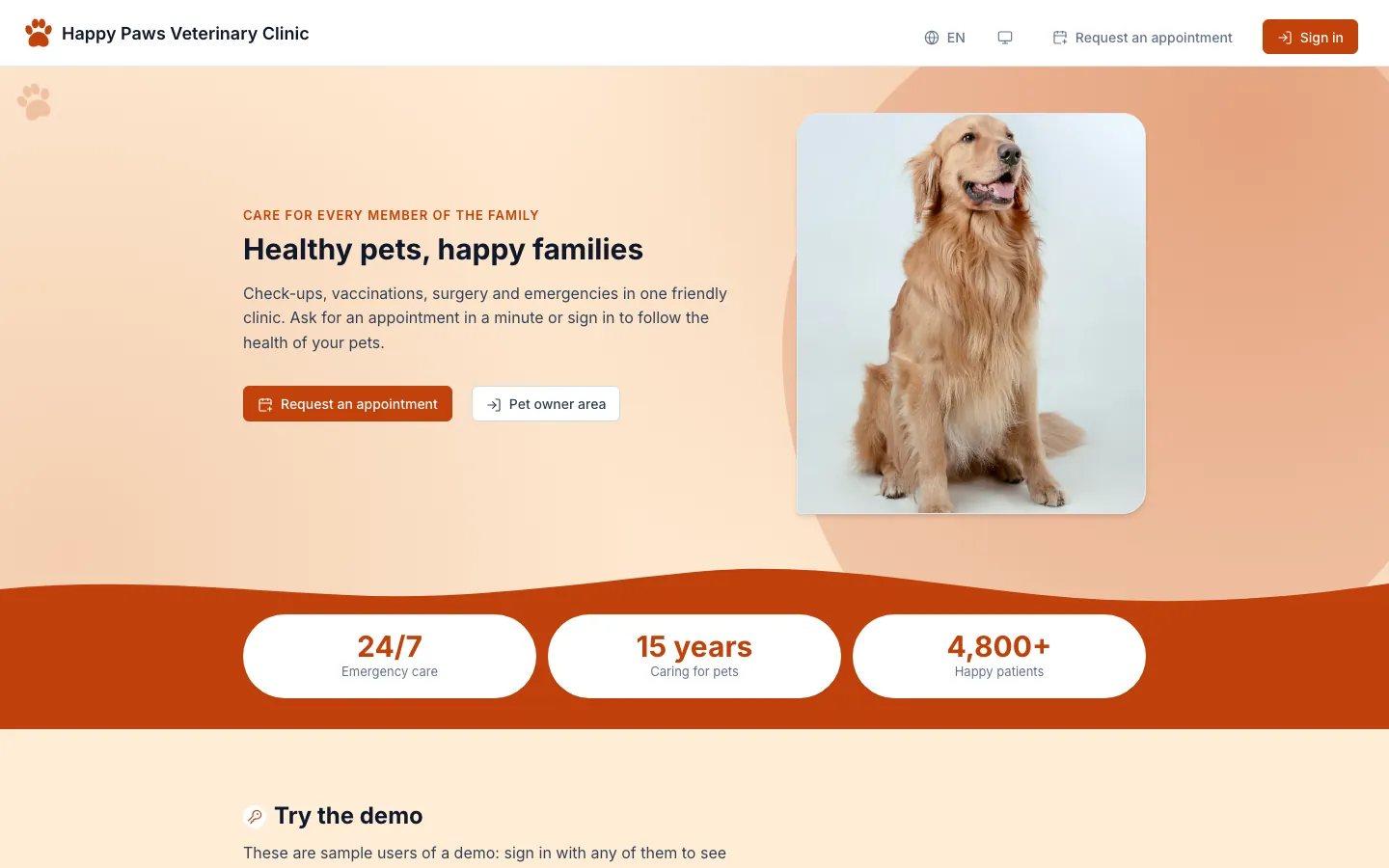
The public home: hero and figures, with no sign-in.
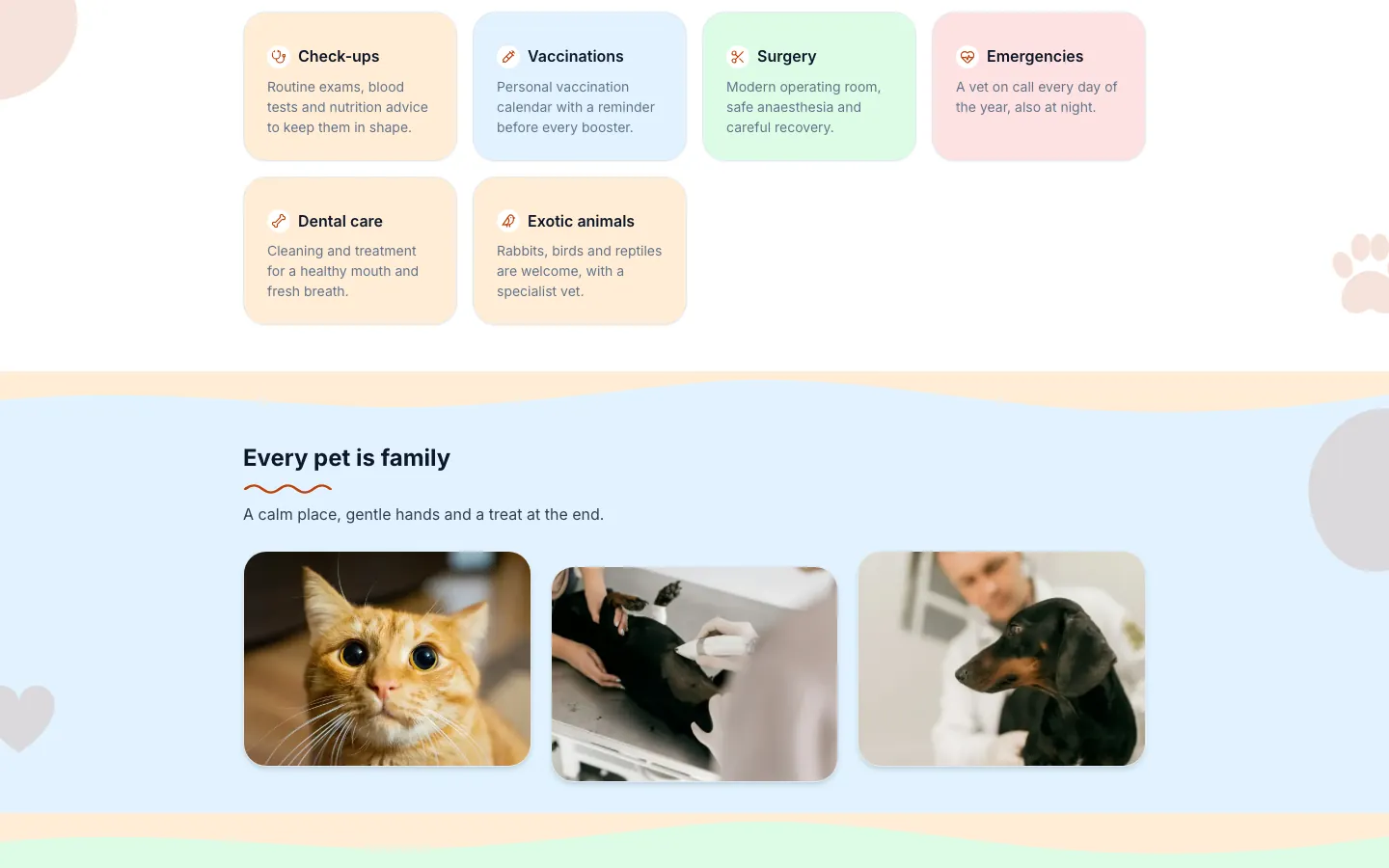
Services and gallery further down the same public page, declared in XML.
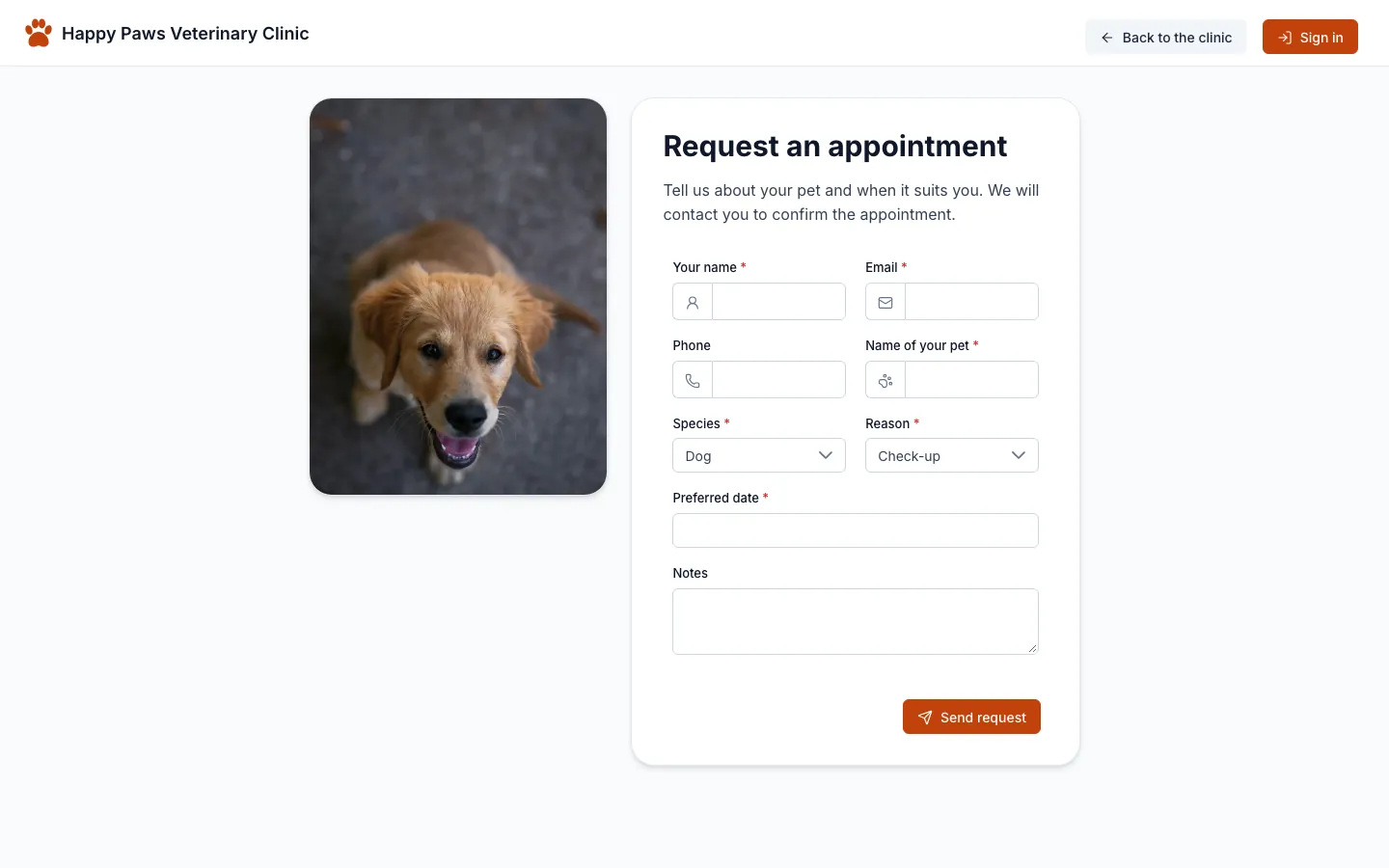
The appointment request: a public form that only inserts a pending request.
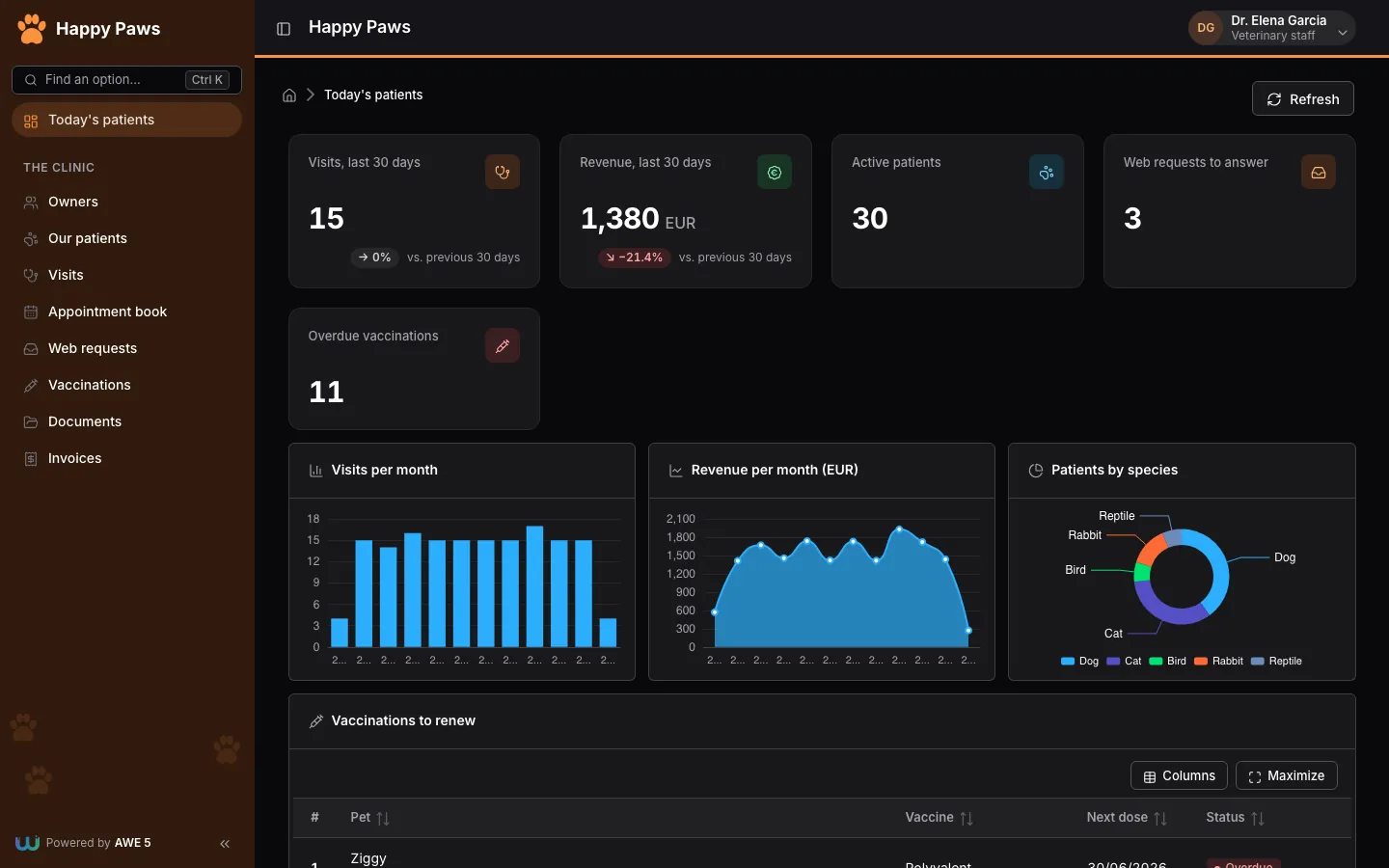
The vet dashboard in dark mode: cards with trends, three charts and a grid of vaccinations to renew.
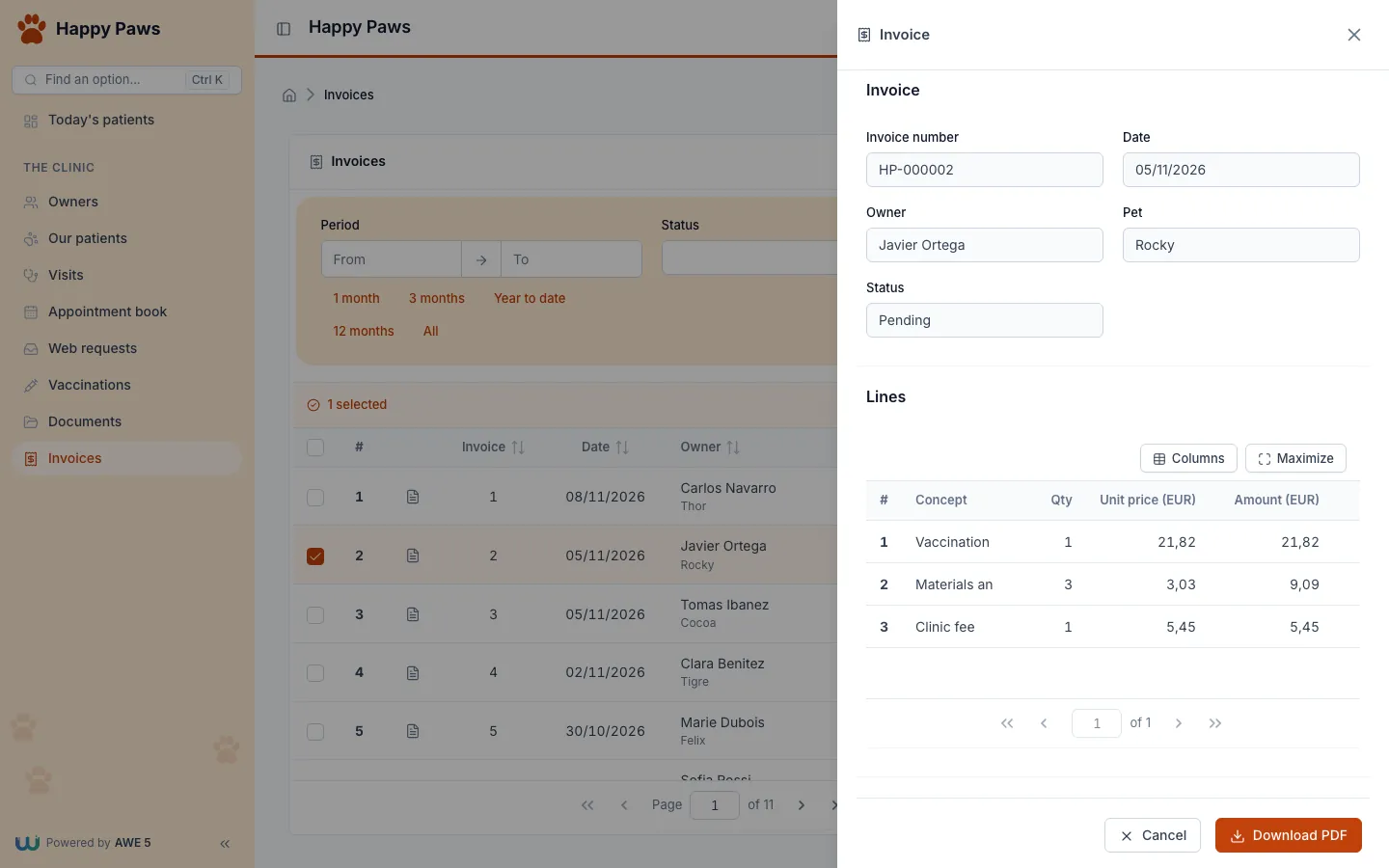
An invoice in a side panel, with its lines and the Download PDF action.
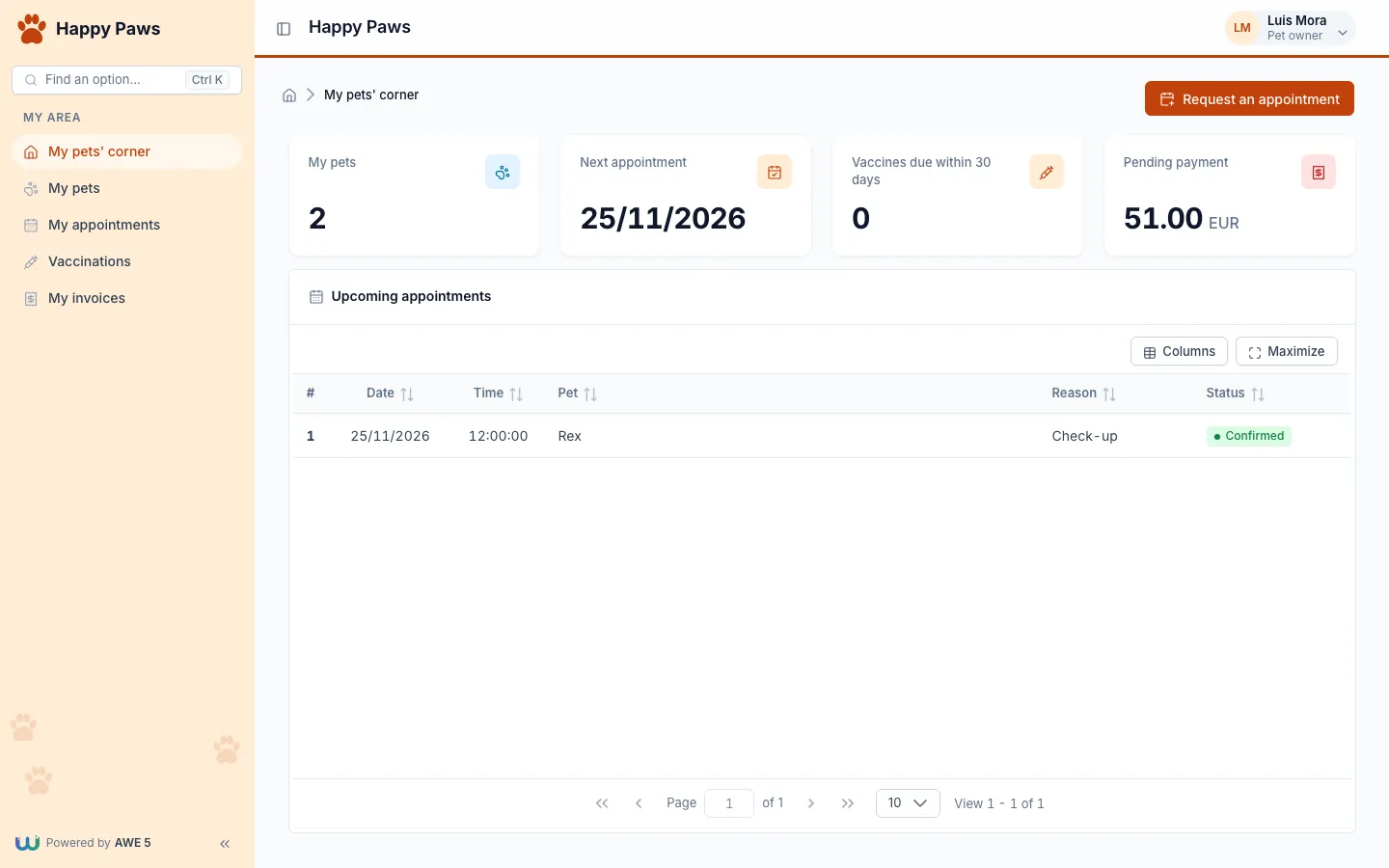
The owner portal: the server filters every query to the pets of the connected owner.
Meridian Freight (logistics)
A freight company with public shipment tracking, a dispatch area and a customer area. It runs at http://localhost:18102 and shows maps with routes, large grids, the scheduler and the notifier.
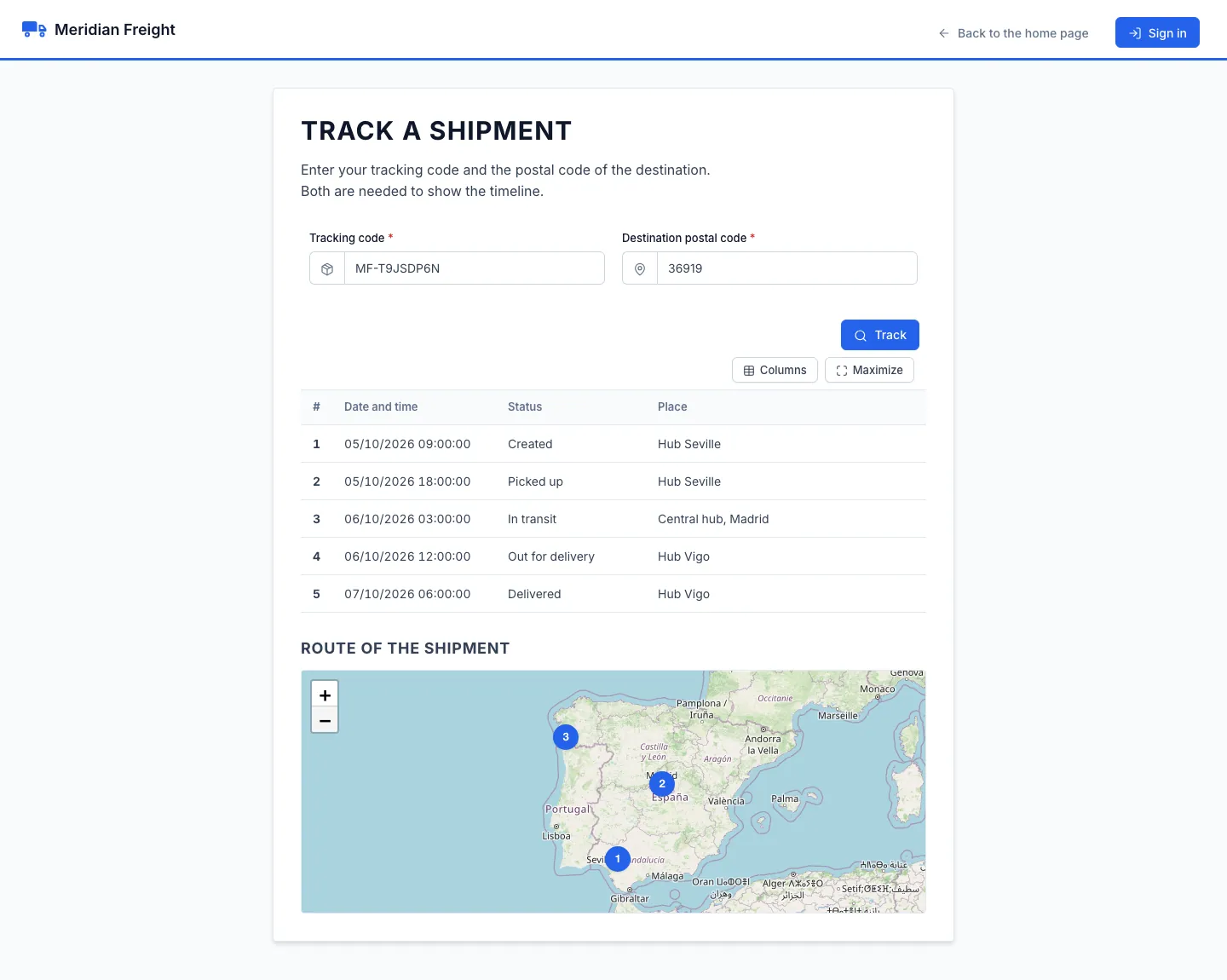
Public tracking: the code MF-T9JSDP6N plus the postal code 36919 return the timeline and numbered points on the map.
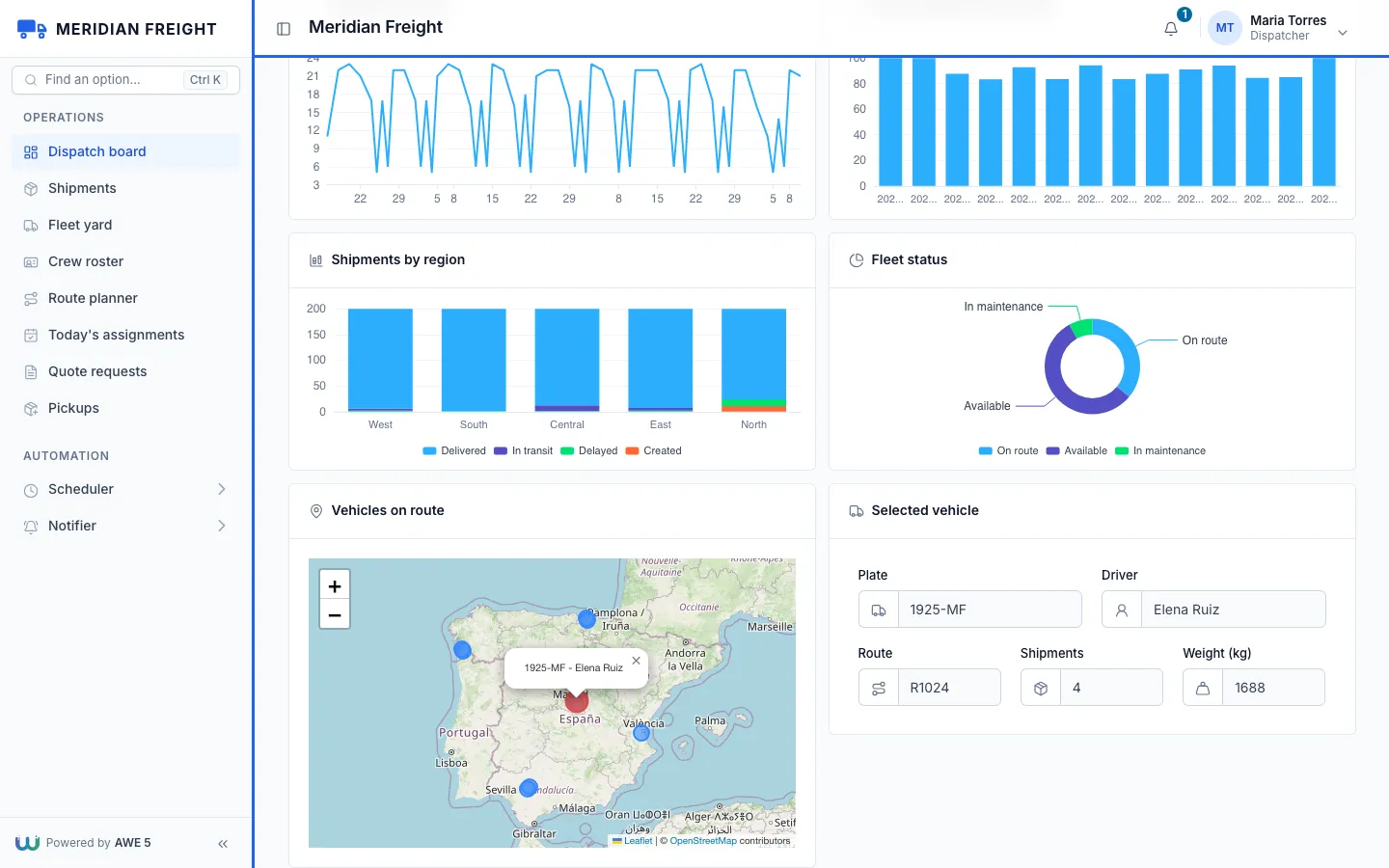
The dispatch board: charts, the fleet on a map and the vehicle selected on it.
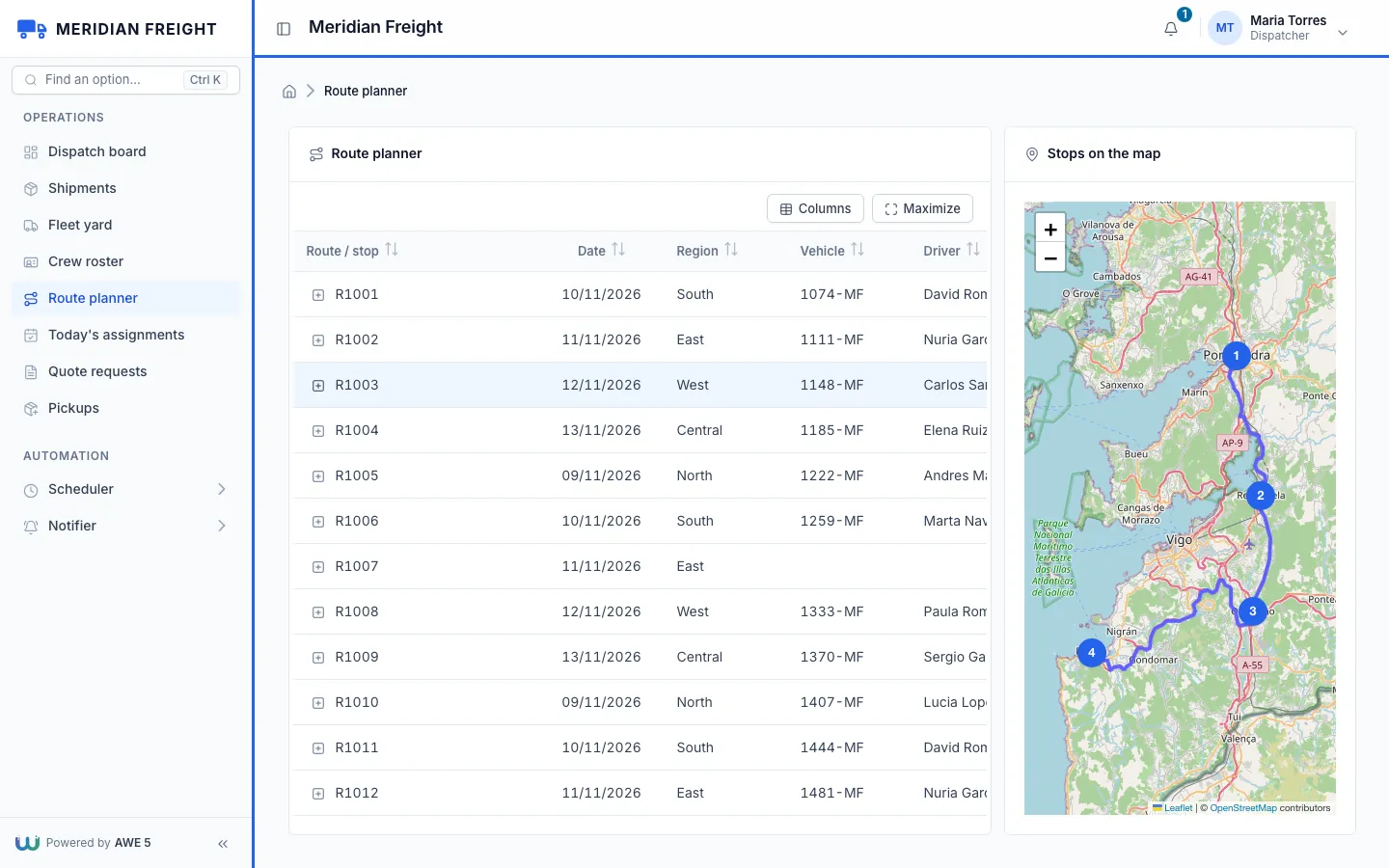
The route planner with R1003 selected: numbered stops and the real road between them.
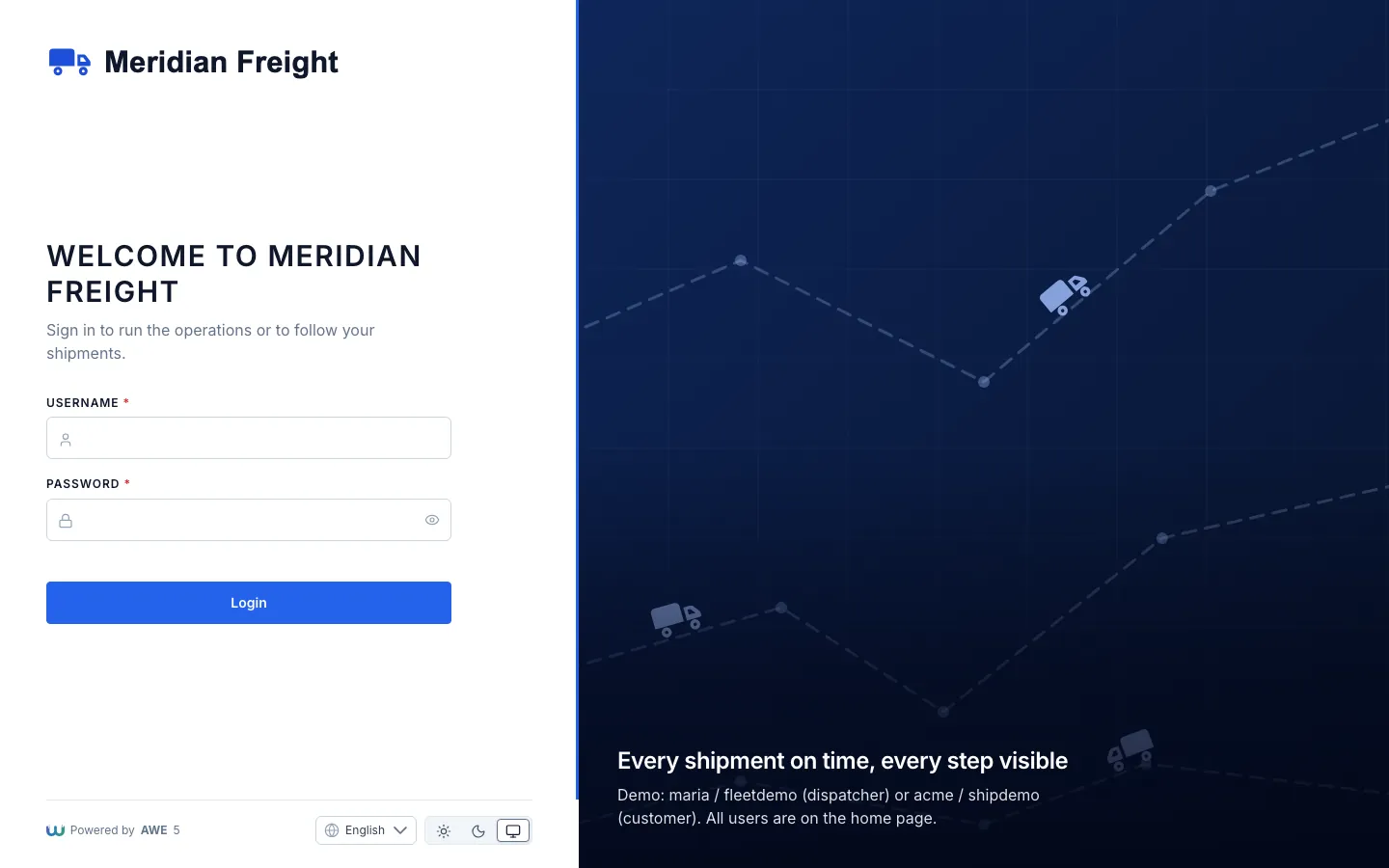
The sign-in page, split in two: the form on one side and the brand on the other.
Beacon Desk (help desk)
An IT support desk with a public portal, a queue for agents and a dashboard for supervisors. It runs at http://localhost:18103 and shows the side panel, charts, the REST API and a custom widget.
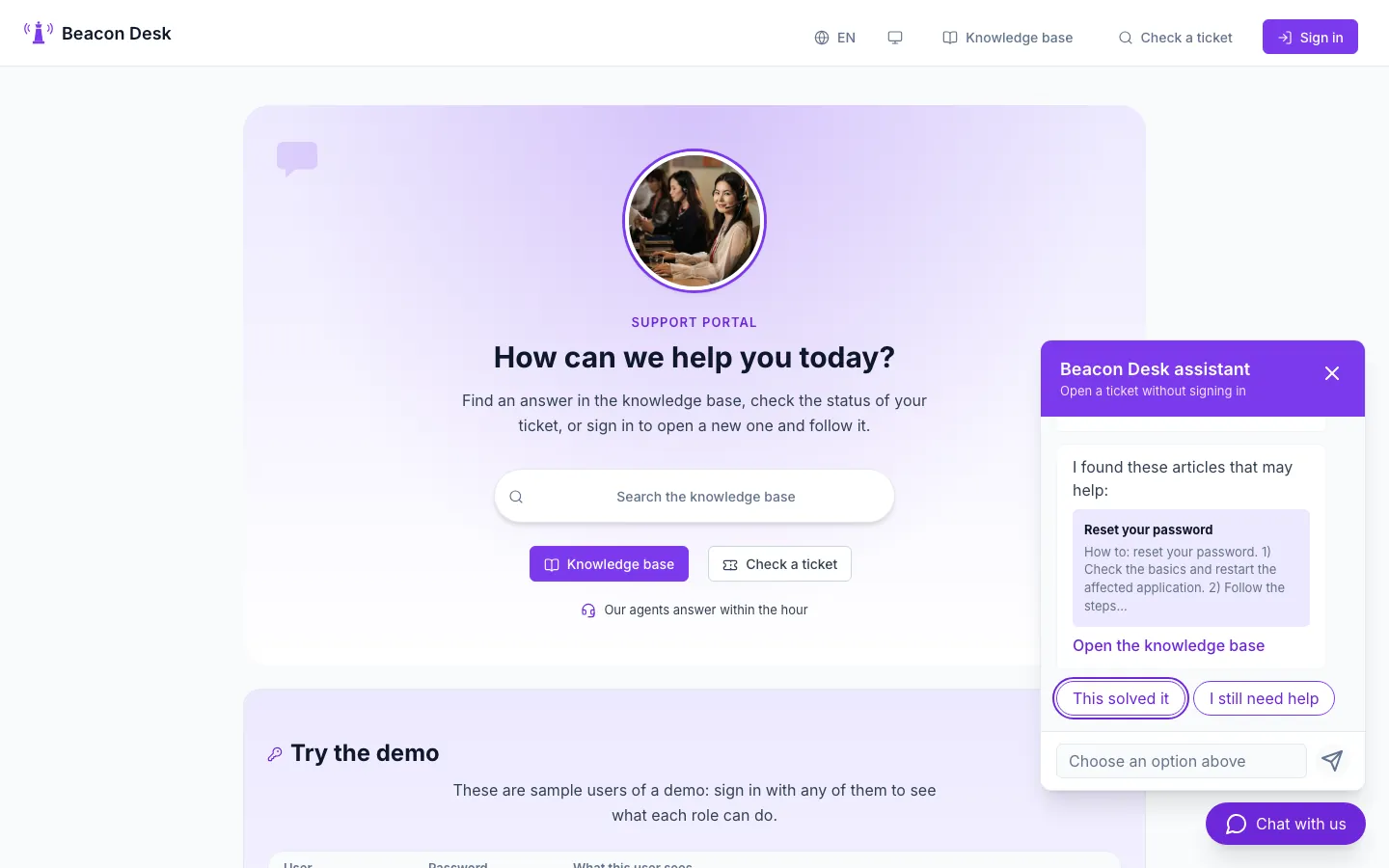
The support chat widget answers with knowledge base articles before it offers to open a ticket, with no sign-in.
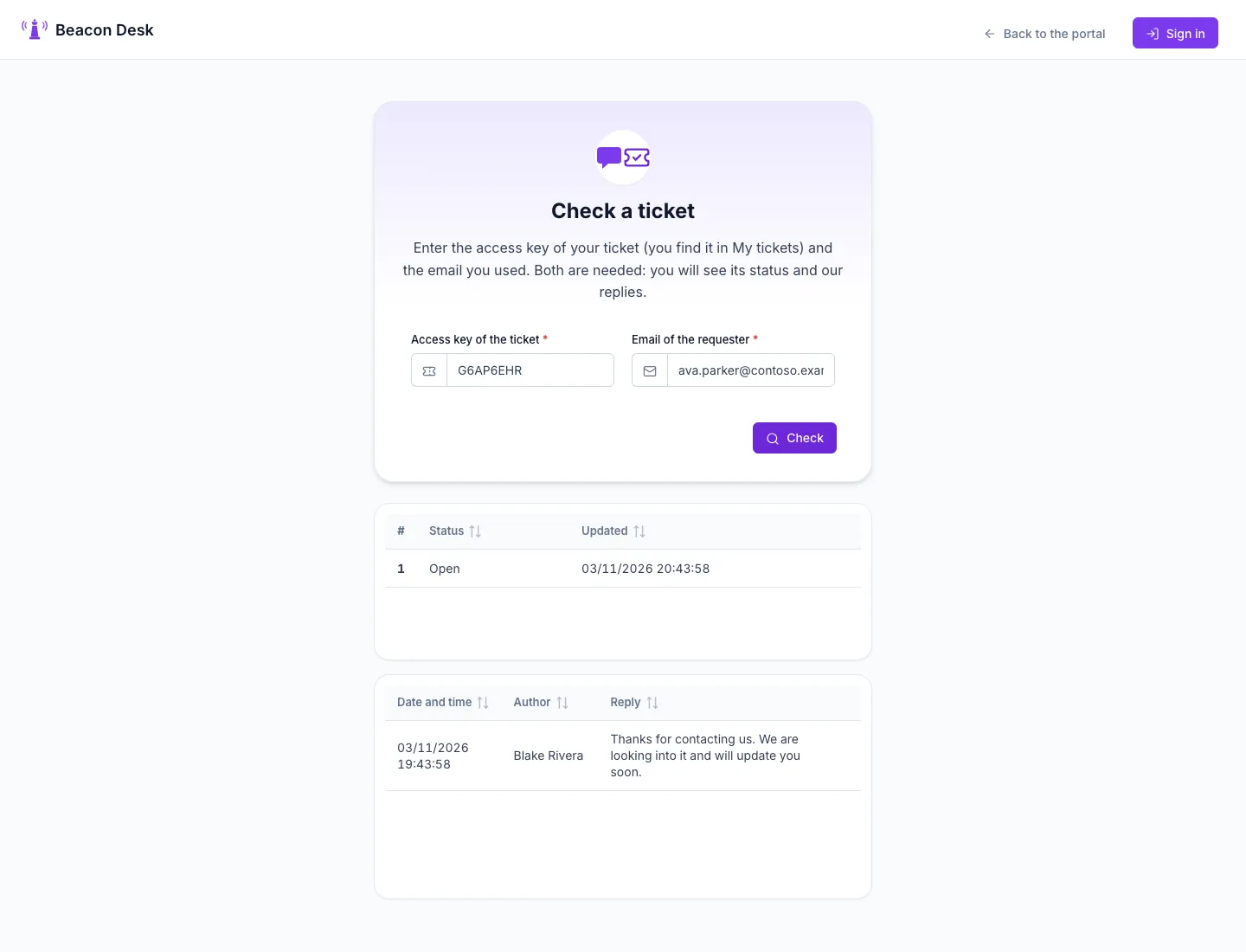
Ticket check: the access key G6AP6EHR plus the requester email (ava.parker@contoso.example) show the status and the replies.
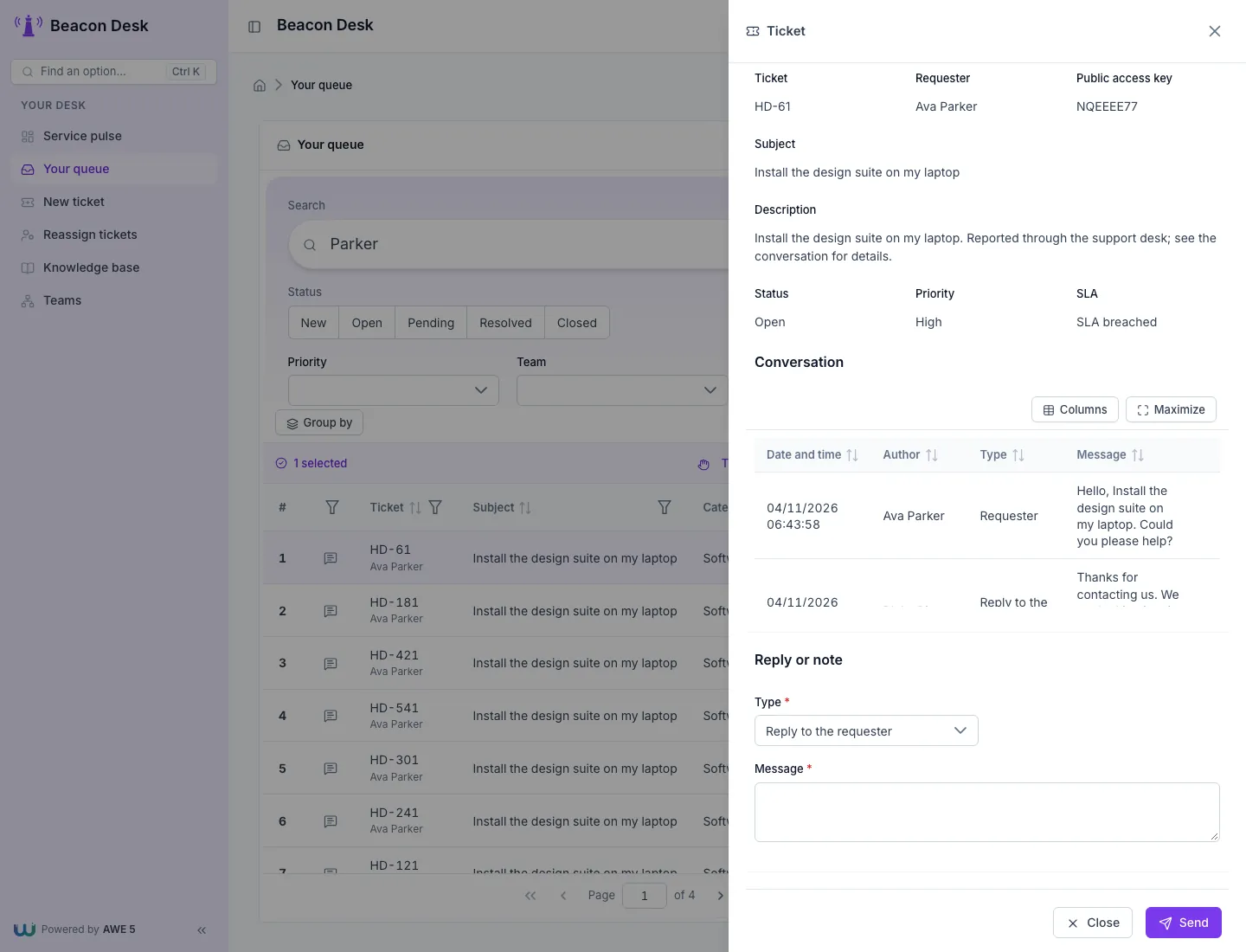
The agent queue: select a ticket to open its panel with the conversation and the reply form.
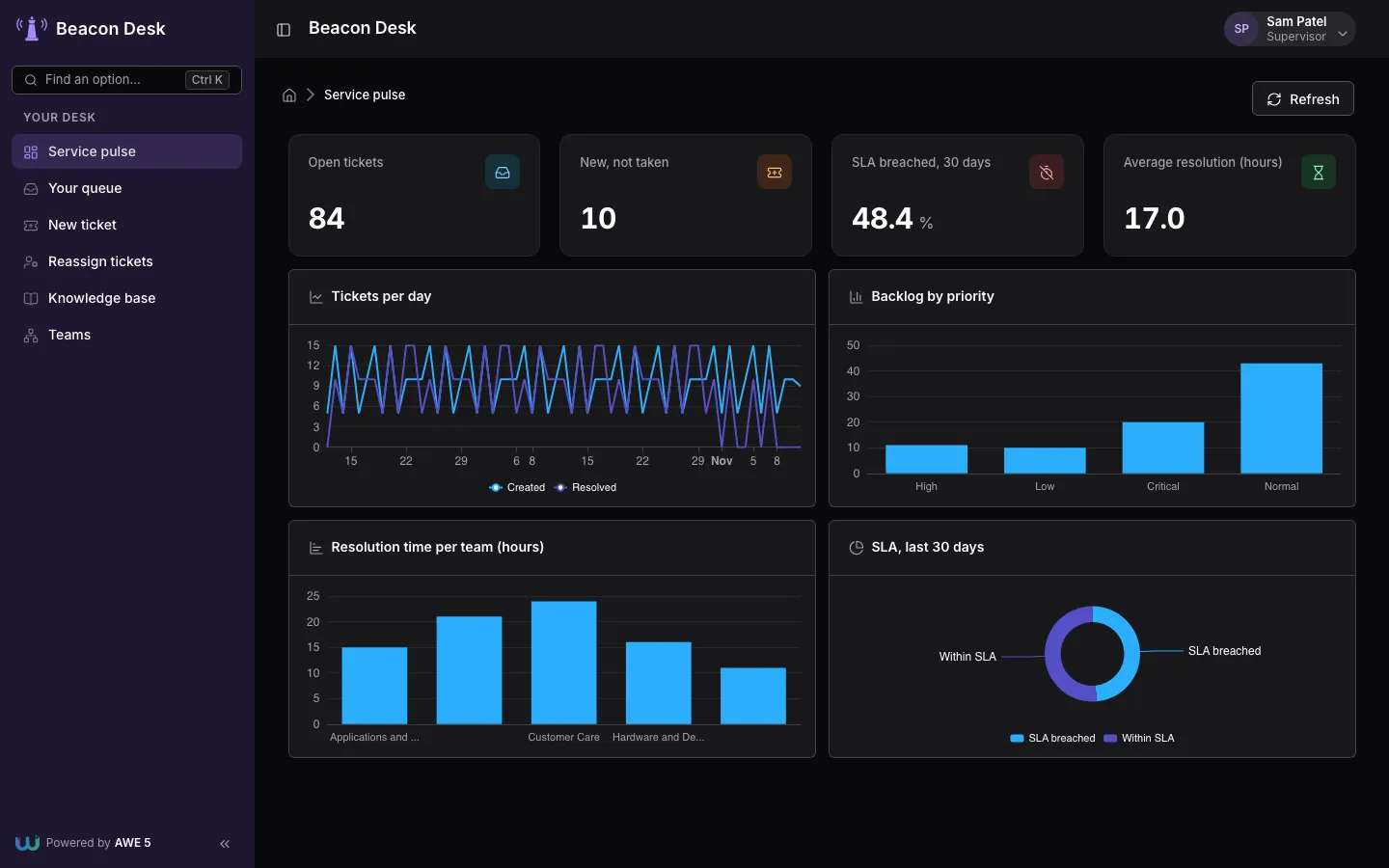
The supervisor dashboard in dark mode: open tickets, SLA breaches and resolution times.
Build and run one
mvn -f awe-samples/help-desk/pom.xml spring-boot:run
Replace help-desk with vet-clinic or fleet-logistics, then open http://localhost:<port> (see the table).
| Need | Command |
|---|---|
First build (needs the React client in awe-framework/awe-client-react/dist) | mvn -pl awe-samples/help-desk -am install -DskipTests |
| Runnable jar | mvn package && java -jar awe-samples/help-desk/target/help-desk.jar |
| Descriptor tests only | mvn test -pl awe-samples/help-desk -Dskip.frontend=true |
| Start again with fresh demo data | Delete the target/db folder |
-Dskip.frontend=true skips the client build, so the descriptor tests run without Node.
The pattern they share
Every sample has a public part and a private part:
| Area | Who | How it is separated |
|---|---|---|
| Public | Anybody, no sign-in | menu/public.xml; a few queries and maintain targets marked public="true" |
| Staff | Vets, dispatchers, agents, supervisors | AWE profiles (profile/*.xml) and the permissions of each target |
| End customers | Pet owners, freight customers, requesters | A profile with row-level filtering by the connected user |
- Row-level security is on the server. The login of the customer is linked to its record. Every query of the
customer area filters with a server-only query that reads the session user (
VetSelfOwn,FltSelfCus,HdkSelfReq), and the maintain targets take the owner from the same query. Hiding a button is not security. - Public targets stay minimal. Only what the landing page needs is public: lookups, one insert-only request and, in the tracking and ticket checks, a query that needs a secret code plus a second value. Nothing else runs without a session.
- Permissions on every target. The profile grants them; a role that must not do something does not get the permission. See Permissions.
Descriptor tests for your application
AbstractApplicationDescriptorTest (module awe-testing) checks the XML of an application with plain JUnit: no Spring
context and no browser, so it runs in milliseconds. Extend it and name the module directory:
| Rule | What fails the build |
|---|---|
| Parse | An XML file that does not parse into its AWE model class |
| Locale keys | A key used by a screen, menu, enumerated group or permission and missing in a locale file |
| Server targets | A query, maintain target or enumerated group that a screen launches and no descriptor declares |
| Intended public targets | A target with public="true" that publicTargets() does not list, or the reverse |
| Secrets from the environment | A master-key or secret property that is not ${NAME:sample} |
The AWE modules on the classpath count as known targets and keys, so the application needs its AWE dependencies, as it does to run. This is the test of the help desk, trimmed:
class HelpDeskDescriptorTest extends AbstractApplicationDescriptorTest {

  @Override
  protected Path moduleDirectory() {
    return Path.of("src/main/resources/application/helpdesk");
  }

  // Reads only: no maintain is public
  @Override
  protected Set<String> publicTargets() {
    return Set.of("HdkSvcPub", "HdkArtPub", "HdkCatPub", "HdkStatusPub", "HdkRepliesPub");
  }

  // Rules of the application go beside the inherited ones
  @Test
  void supervisorOnlyTargetsRequireSupervisorPermissions() throws Exception {
    // ...
  }
}
propertiesFile() defaults to application.properties two levels above the module directory; override it when yours
is elsewhere. Add your own @Test methods for rules specific to your application, as the sample does.
Not production ready as is
The samples are demos. Before using one as the base of a real application:
- Set
AWE_MASTER_KEY(andAWE_JWT_SECRETinhelp-desk). Without them the sample values, public in this repository, are used. - Delete or deactivate the demo users and above all the
test/testadministrator. - Put a CAPTCHA and a rate limit in front of every anonymous insert and lookup (quote and appointment requests, shipment and ticket checks).
- Restrict or disable
/v3/api-docswhen the REST API is exposed (help-desk). - Generate tracking codes randomly at insert time; the seeds derive them with a fixed formula so the demo is repeatable.