Layout
The AWE layout helps the developer to position the parts of a screen and take advantage of all the screen size. It is built on the flexible box layout of CSS: a container says in which direction it lays out its children, and the children say whether they take the free space or keep their size.
There are two ways of "expanding" a container, set with the expandible attribute:
- Vertically: With the
expandible="vertical"attribute the direct children with anexpandstyle will increase in height to fit the container size. All children without theexpandclass will keep their height. - Horizontally: With the
expandible="horizontal"attribute the direct children with anexpandstyle will increase in width to fit the container size. All children without theexpandclass will keep their width.
The expandible attribute generates the CSS class expandible-vertical or expandible-horizontal on the element, and
the expand styles are CSS classes that you write in the style attribute of the children.
Where to use it
The usual containers of a layout are these (the schema also declares expandible for other tag-like elements such as
dialog, tabcontainer and wizard-panel):
| Element | Notes |
|---|---|
tag | The usual container. Give it a type (div) so that it is a real element in both engines |
window | AngularJS engine: the content of the window is vertical by default. React engine: ignored, always vertical |
resizable | Declared in the schema, but neither client uses it. Put a tag with expandible inside the resizable |
In the window and document templates the center source is already a vertical container, so a
window or a tag with the expand style placed directly in it takes the height that is left.
Note: The layout works with direct children. If an
expandelement is inside another element that is not expandible, it does not grow: expand every level from the screen down to the element.
Expansion styles
These styles go in the style attribute of the children of an expandible container:
| Style | Effect |
|---|---|
expand | The child takes its share of the free space |
expand-2x | The child takes double the space of a single expand |
expand-3x ... expand-12x | The child takes three, four... up to twelve times the space of a single expand |
expand-maximize | The child expands only when the parent window is maximized |
The children without any of these styles keep their own size.
Vertical layout
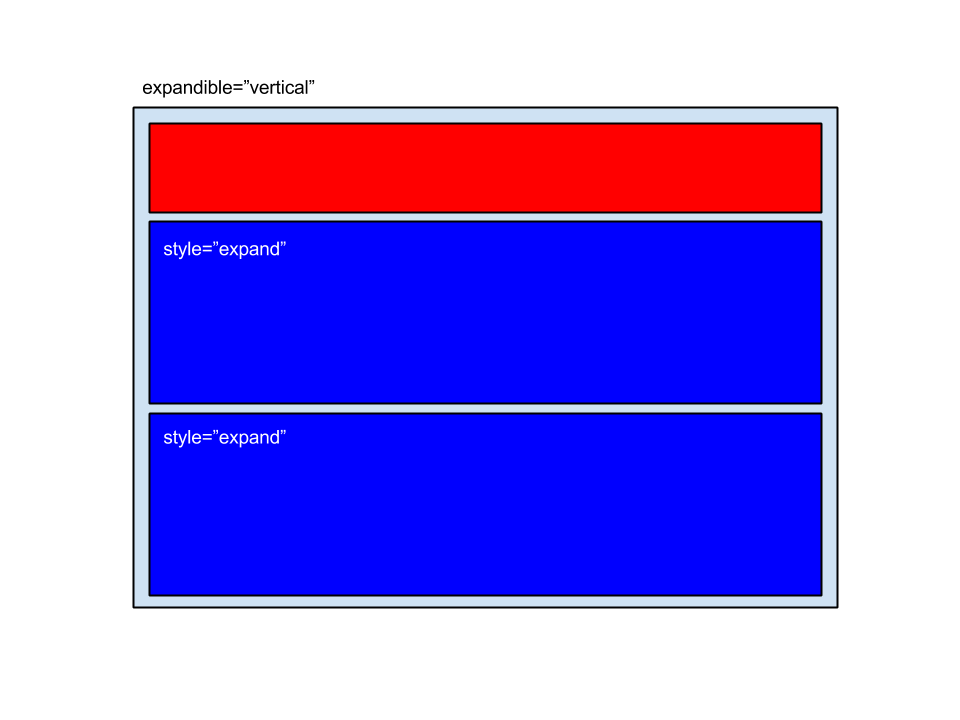
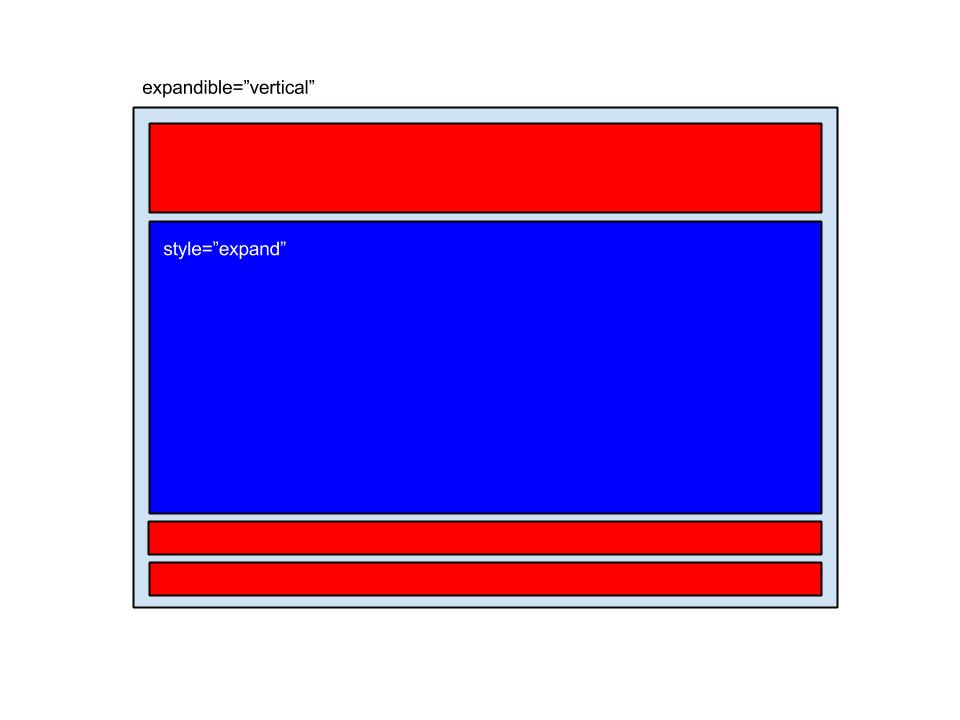
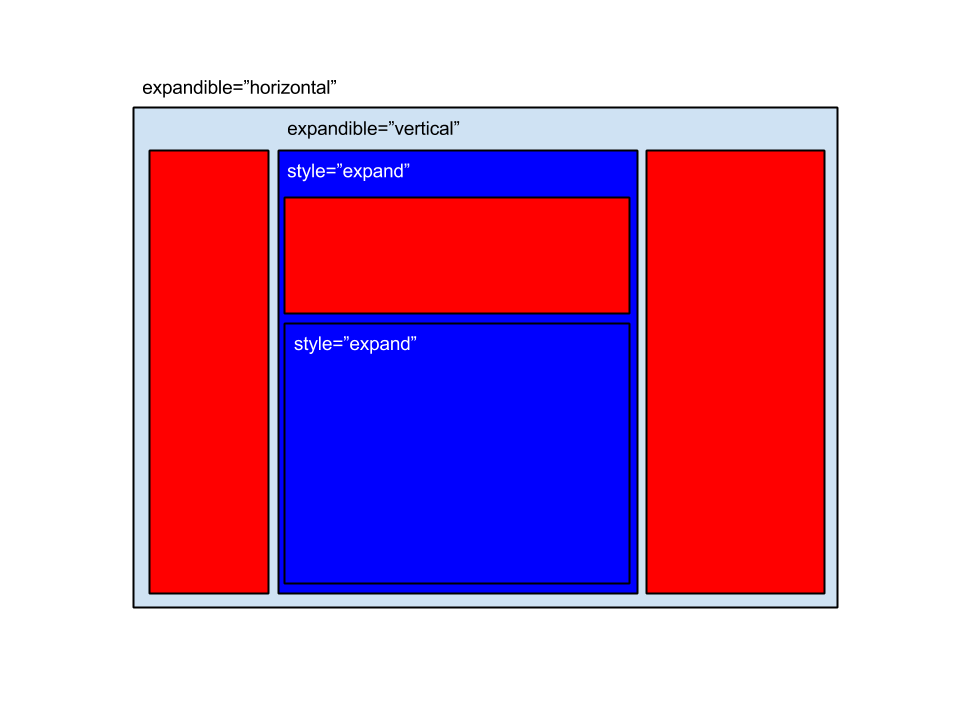
In the following samples you can see an element with the expandible="vertical" attribute. Red boxes are children without the expand style, and blue boxes are children with the expand style:
Two expandible children and one static child
One expandible child and some static children
The data window of the pivot table test screen is a vertical layout: the window and its tag expand, so the pivot
table (with style="expand") uses all the height that the criteria window does not need:
<window label="SCREEN_TEXT_DATA" style="expand" expandible="vertical">
  <tag type="div" style="panel-body expand scrollable-both" expandible="vertical">
    <pivot-table id="listaDatos" initial-load="query" target-action="QryUniTstId" style="expand"/>
  </tag>
</window>
Horizontal layout
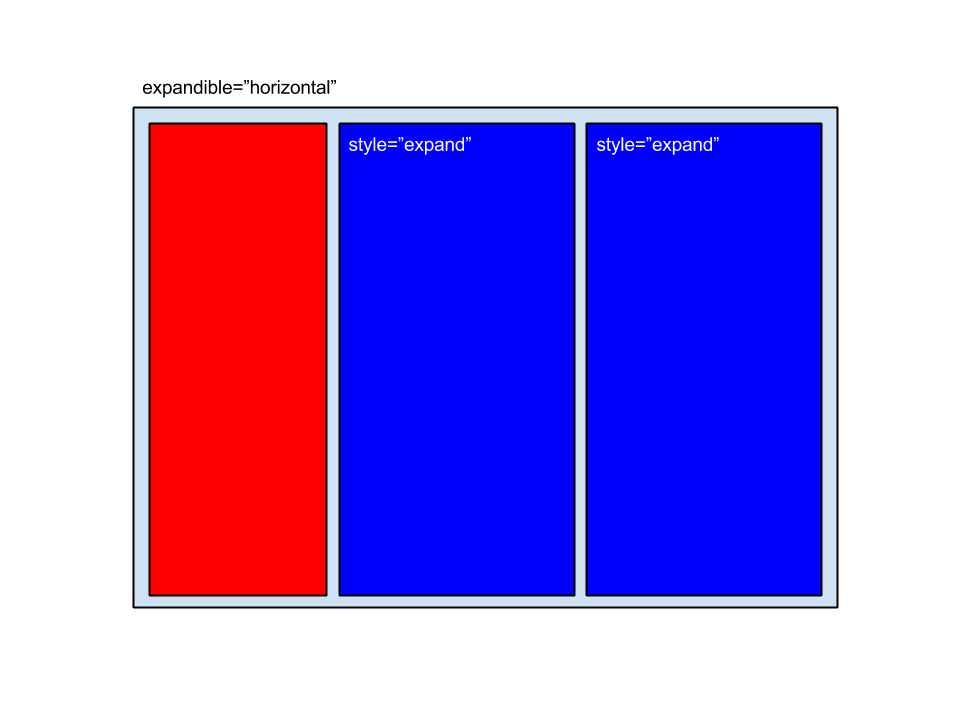
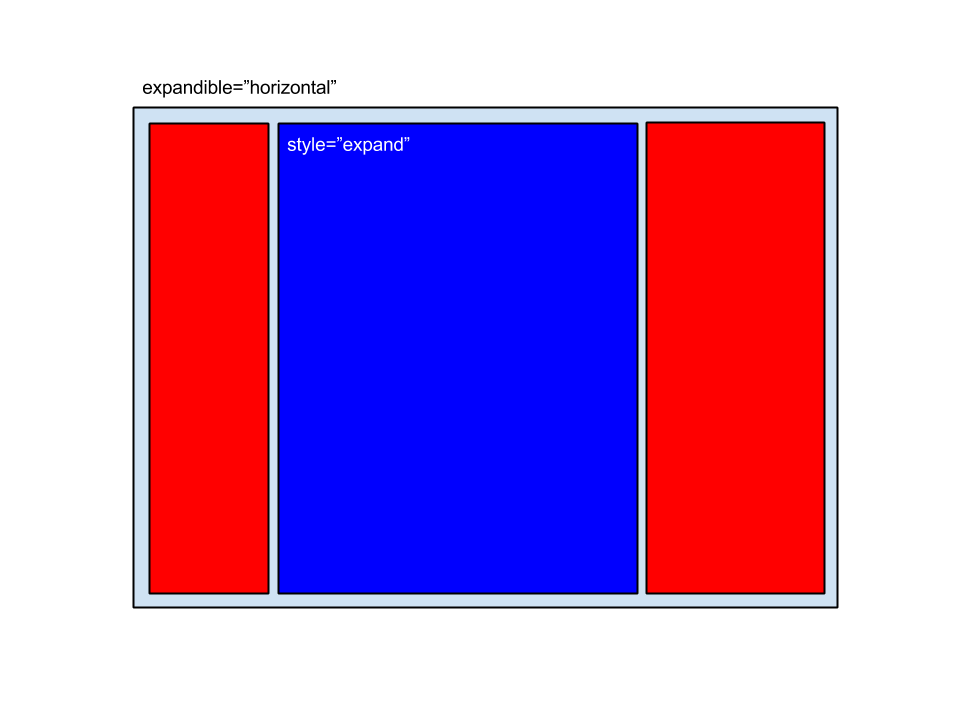
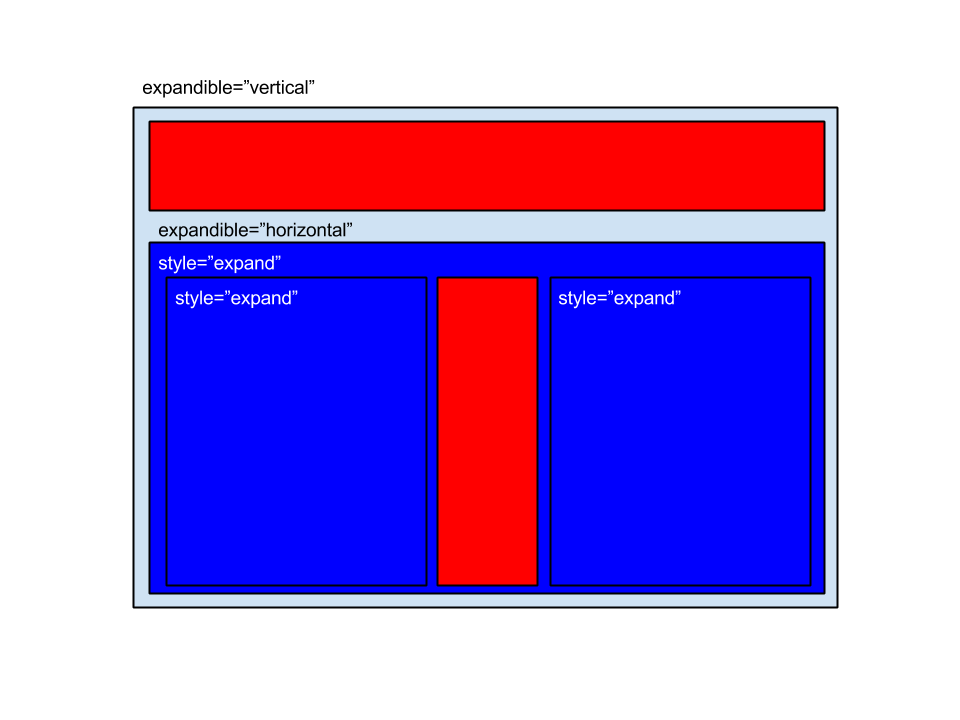
In the following samples you can see an element with the expandible="horizontal" attribute. Red boxes are children without the expand style, and blue boxes are children with the expand style:
Two expandible children and one static child
One expandible child and some static children
This part of the layout test screen has one container with two children that share the width and one child that keeps
its size (staticWidthSample is a CSS class that sets a fixed width):
<tag type="div" style="panel-body expand" expandible="horizontal">
  <tag type="div" style="p-2 expand">
    <criteria label="SCREEN_TEXT_USER" component="text" id="gegtr" validation="required" style="col-xs-12" />
    <criteria label="SCREEN_TEXT_PASS" component="password" id="ertge" validation="required" style="col-xs-12" />
  </tag>
  <tag type="div" style="p-2 staticWidthSample">
    <criteria label="SCREEN_TEXT_USER" icon="user" component="text" id="etertg" validation="required" style="col-xs-12" />
  </tag>
</tag>
Combined layout
To design an application screen you can combine the usage of vertical and horizontal layouts with expandible and not expandible children:
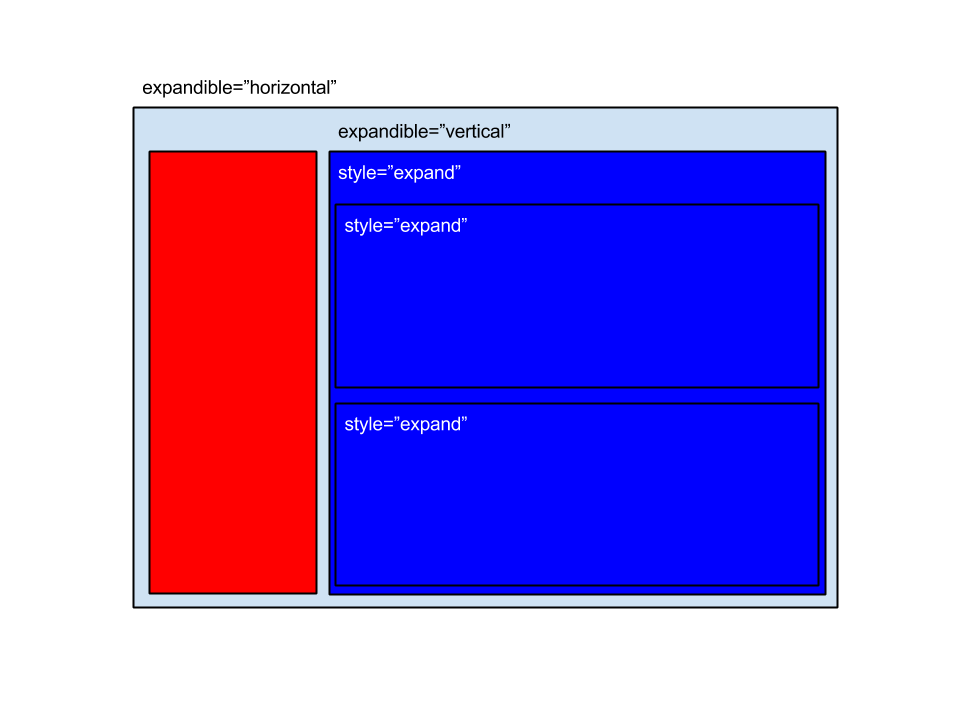
The screen MatTst of the test applications combines both (the example is trimmed): a vertical container whose first
child is a resizable container (laid out horizontally inside) and whose second child is a grid that
expands:
<tag type="div" style="expand expandible-vertical">
  <resizable directions="bottom" style="no-resizable-xs height-lg">
    <tag type="div" style="expand expandible-horizontal">
      <resizable directions="right" style="col-xs-12 col-sm-4 col-lg-2 no-padding no-resizable-xs">
        <grid id="MatSel" style="expand grid-bordered" initial-load="query" server-action="data" target-action="QryUniTst" max="10">
          <column label="COLUMN_SIT" sort-field="Als" name="Als5" charlength="25" />
        </grid>
      </resizable>
      <grid id="MatPrn" style="expand grid-bordered" initial-load="query" server-action="data" target-action="QryUniTst" max="10">
        <column label="COLUMN_SIT" sort-field="Als" name="Als6" charlength="25" />
      </grid>
    </tag>
  </resizable>
  <grid id="MatCol" style="expand grid-bordered" initial-load="query" server-action="data" target-action="QryUniTst" max="10">
    <column label="COLUMN_SIT" sort-field="Als" name="Als17" charlength="25" />
  </grid>
</tag>
AngularJS and React engines
The expandible attribute and the expand styles work in both engines, with these differences:
| Feature | AngularJS engine | React engine |
|---|---|---|
expand, expand-2x to expand-12x | Applied | Applied |
expandible of a tag with type | Applied | Applied |
expandible of a tag without type | Lost: a tag without type generates no element | Applied to the div that the React tag generates |
expandible of a window | Applied (vertical by default) | Ignored: the window is always vertical |
expandible of a tag with source | Applied (if the tag has a type) | Ignored: the template only uses the style |
expand-maximize | Applied | Applied |
To keep a screen working in both engines, give a type to the tags with expandible, and put the horizontal layouts
inside a tag instead of directly in a window or in a source tag.
Related pages
- Tags: the
expandibleattribute of the tag. - Window and resizable: the containers that usually take part in a layout.
- Template: the sources where the layout starts.
Reviewed for AWE 5.